
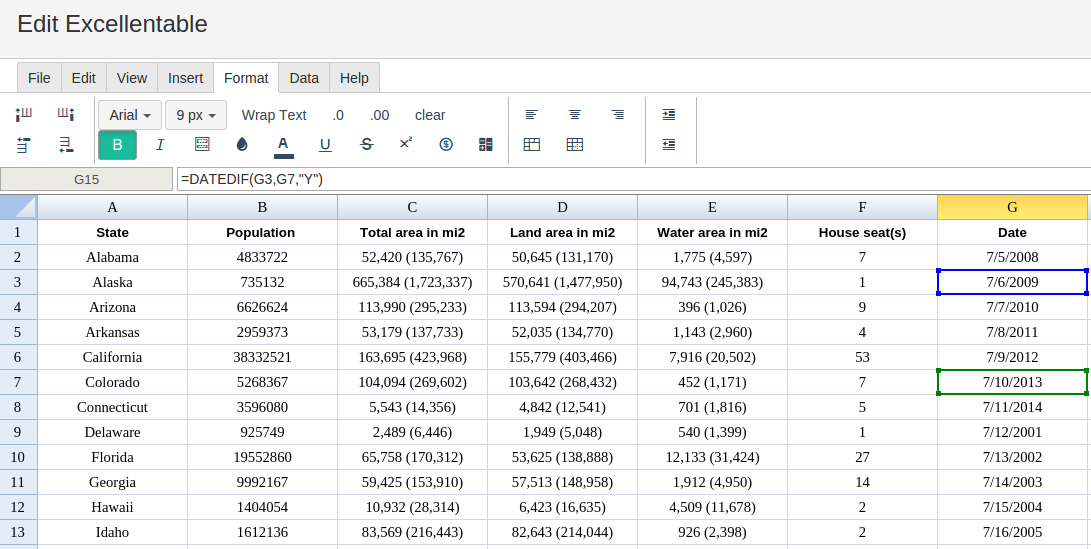
In order to use the DATEDIF formula, start with your edited Excellentable:
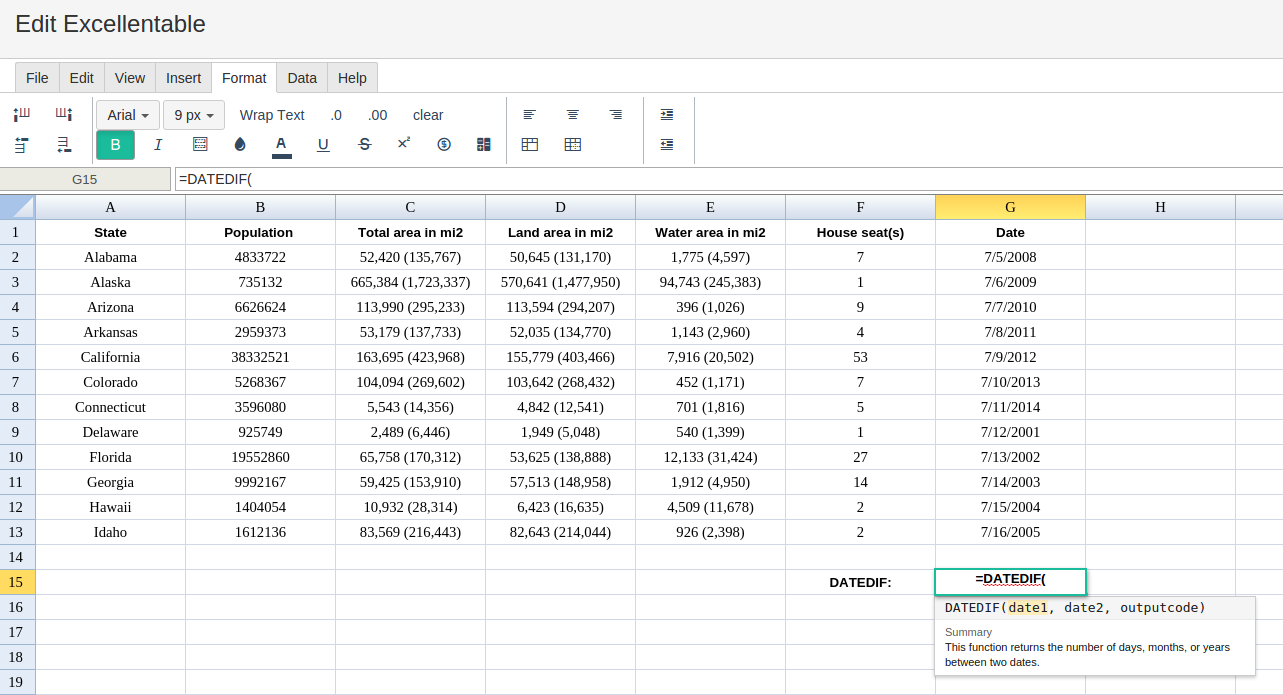
Then type in the DATEDIF Formula in the area you would like to display the outcome:
Type in the complete SMALL formula for a cell as shown below:
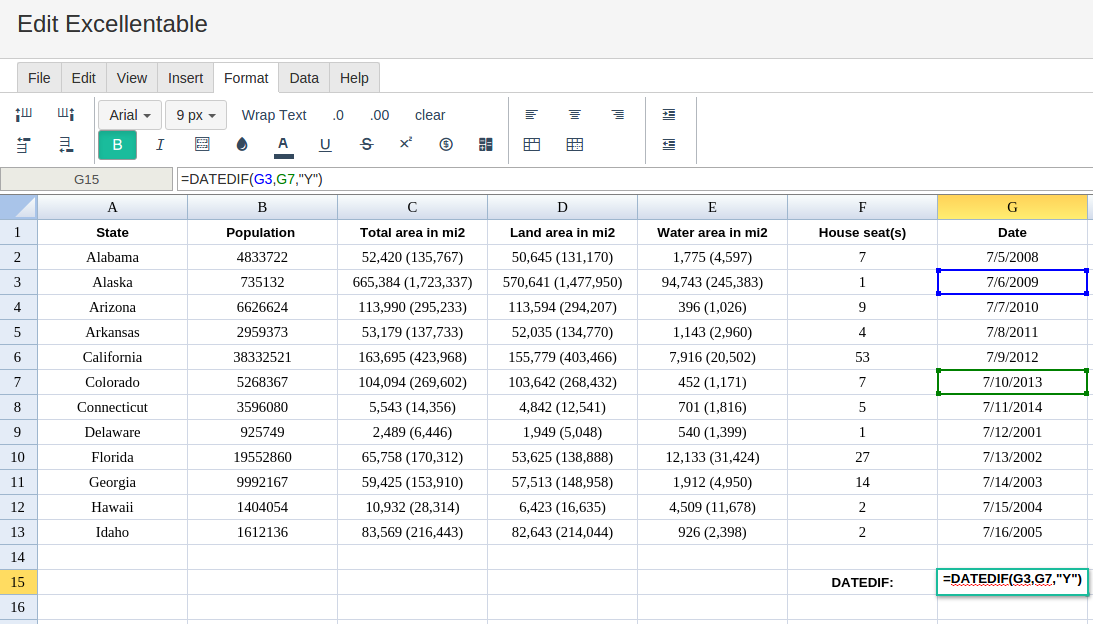
By adding the values you would like to calculate the DATEDIF formula for, Excellentable will generate the outcome:
The below sample shows how you can use DATEDIF in Excellentable.
There were errors rendering macro:
- An unknown error occurred.