
Description
Returns the error function.
Sample Usage
Syntax
ERF.PRECISE(x)
The ERF.PRECISE function syntax has the following argument:
-
X Required. The lower bound for integrating ERF.PRECISE.
Remarks
-
If lower_limit is nonnumeric, ERF.PRECISE returns the #VALUE! error value.
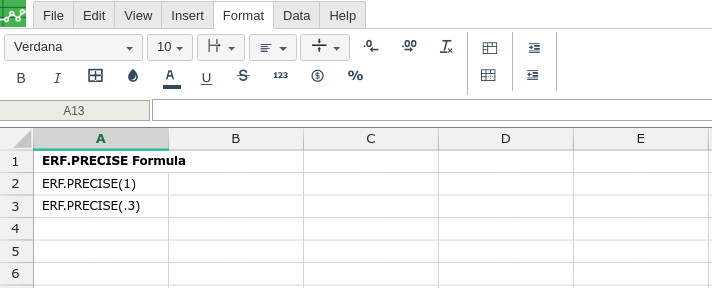
In order to use the ERF.PRECISE formula, start with your edited Excellentable:
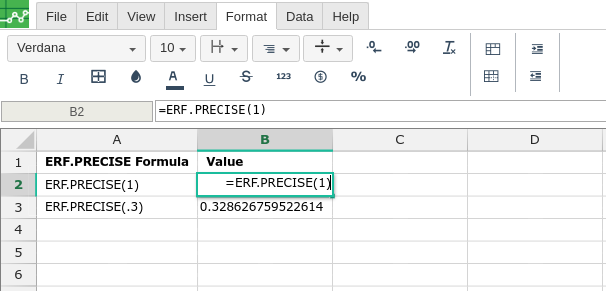
Then type in the ERF.PRECISE formula in the area you would like to display the outcome:
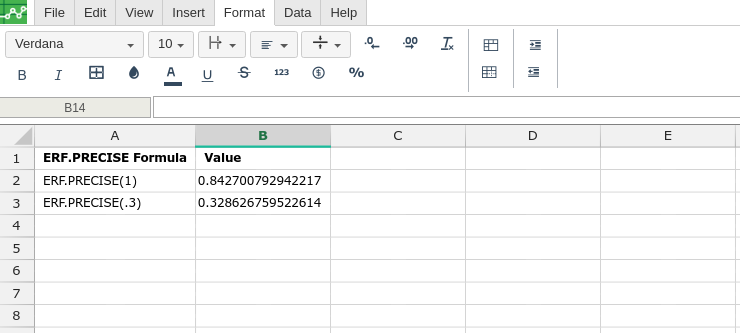
By adding the values you would like to calculate the ERF.PRECISE formula for, Excellentable will generate the outcome:
There were errors rendering macro:
- An unknown error occurred.