
Definition of OR
Returns true if any of the provided arguments are logically true, and false if all of the provided arguments are logically false.
Sample Usage
OR(A2 = "foo", A3 = "bar")
OR(TRUE,FALSE,TRUE)
OR(A1:A10,B1:B10)
OR(0,1,2,3)
Syntax
OR(logical_expression1, [logical_expression2, ...])
-
logical_expression1- An expression or reference to a cell containing an expression that represents some logical value, i.e.TRUEorFALSE, or an expression that can be coerced to a logical value. -
logical_expression2, ...- [ OPTIONAL ] - Additional expressions or references to cells containing expressions representing some logical values, i.e.TRUEorFALSE, or expressions that can be coerced to logical values.
Notes
-
The number 0 is logically false; all other numbers (including negative numbers) are logically true.
See Also
NOT: Returns the opposite of a logical value - `NOT(TRUE)` returns `FALSE`; `NOT(FALSE)` returns `TRUE`.
AND: Returns true if all of the provided arguments are logically true, and false if any of the provided arguments are logically false.
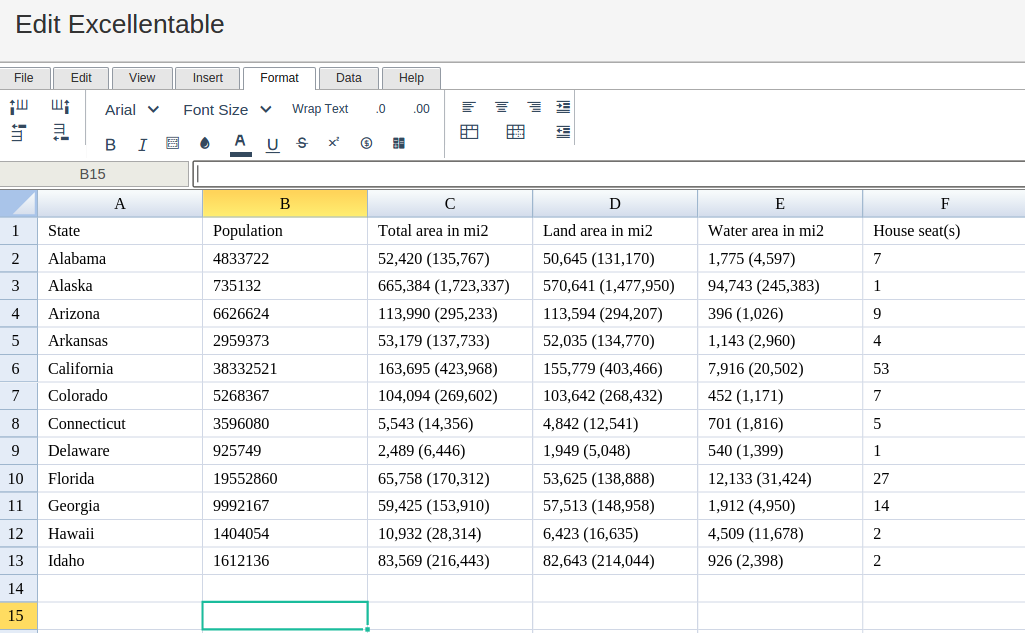
In order to use the OR formula, start with your edited Excellentable
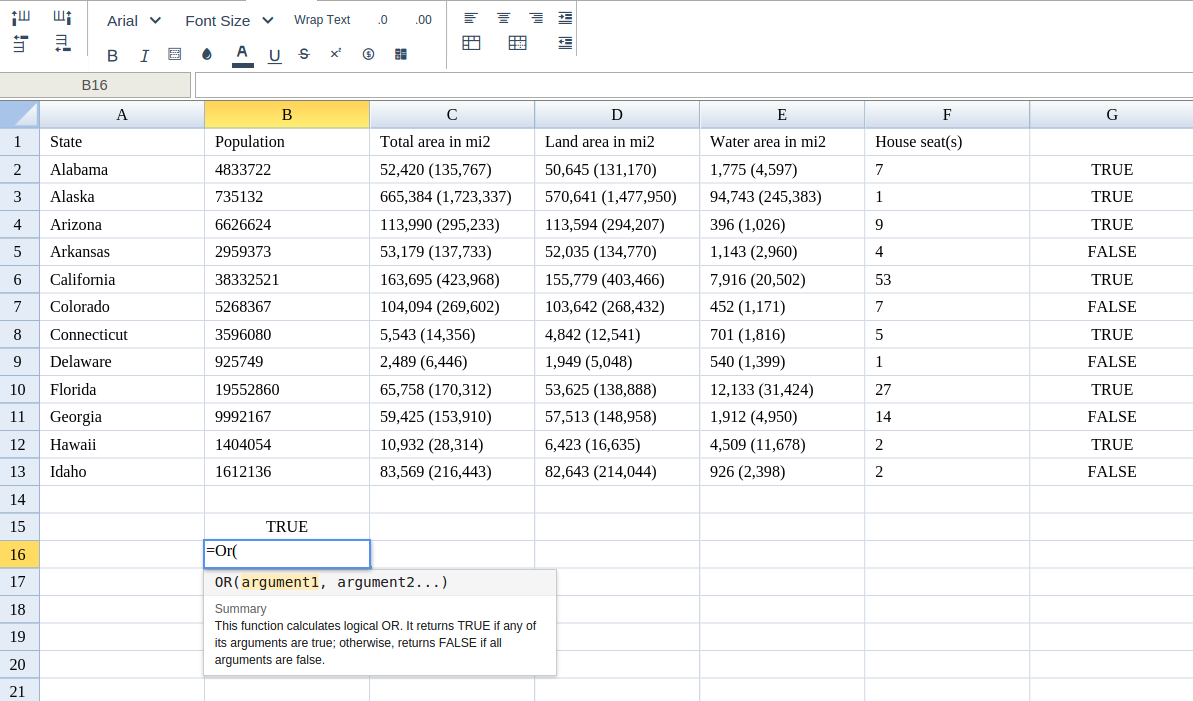
Then type in the OR Formula in the area you would like to display the outcome:
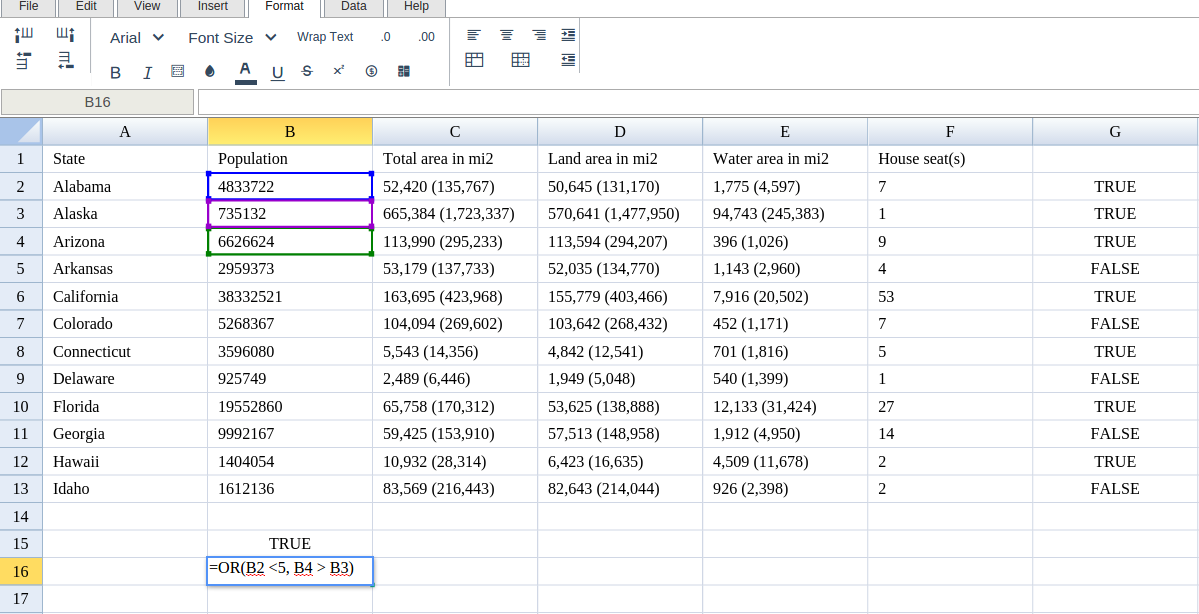
Type in the complete OR formula for a cell as shown below:
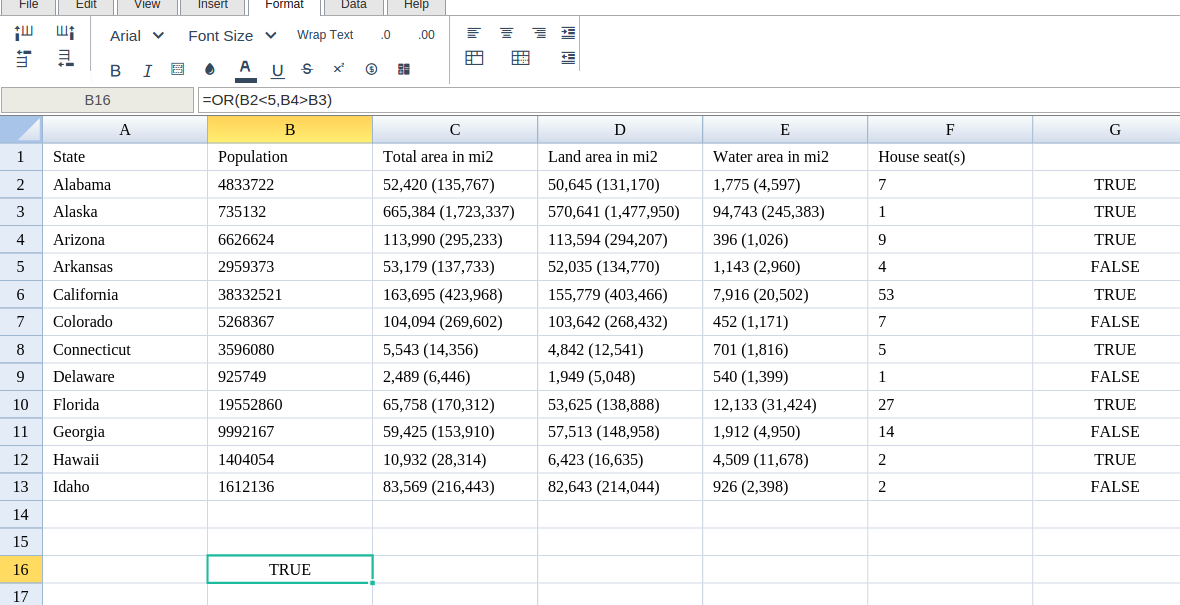
Excellentable will generate the outcome when hitting enter.
There were errors rendering macro:
- An unknown error occurred.