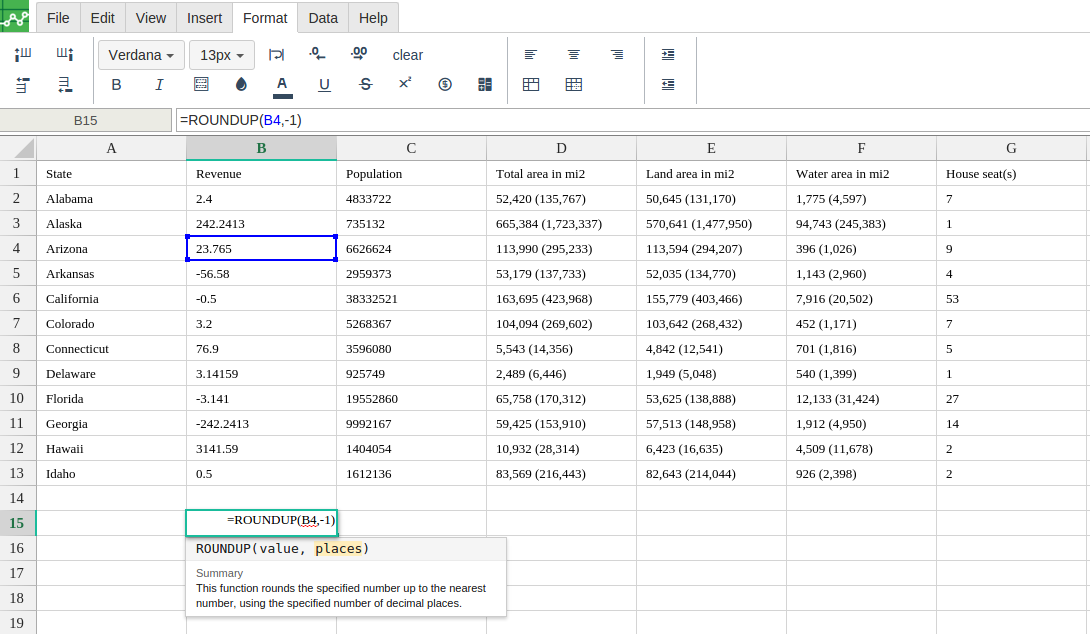
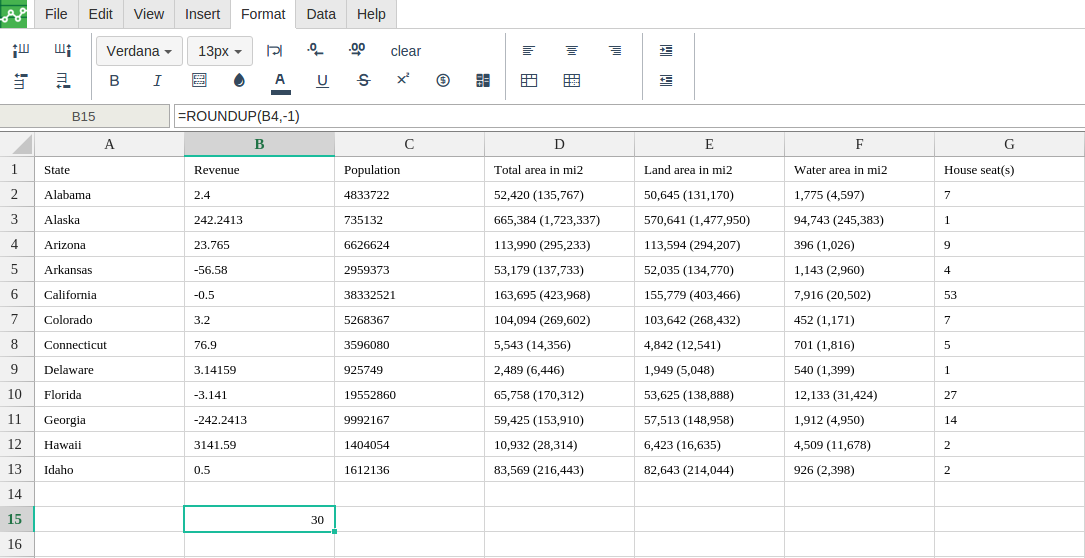
Definition
Round a value up to a given number of places.
Syntax
-
value - The number to be round up.
-
places - The number of digits that the value argument will be rounded to.
Notes
-
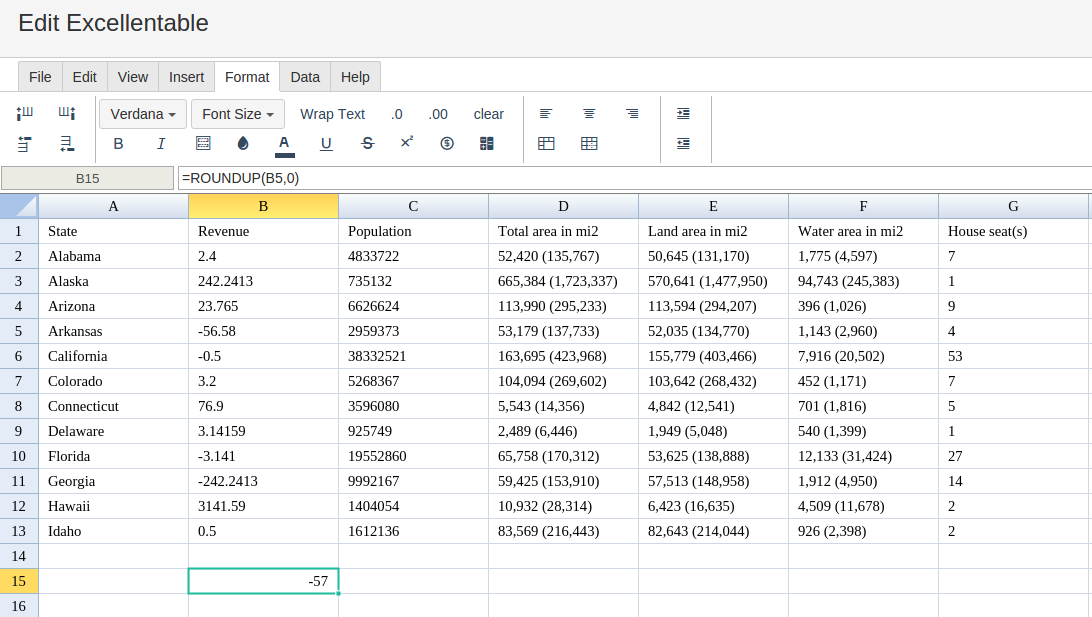
if the argument of places is set to 0, the function rounds the value up to the nearest integer
-
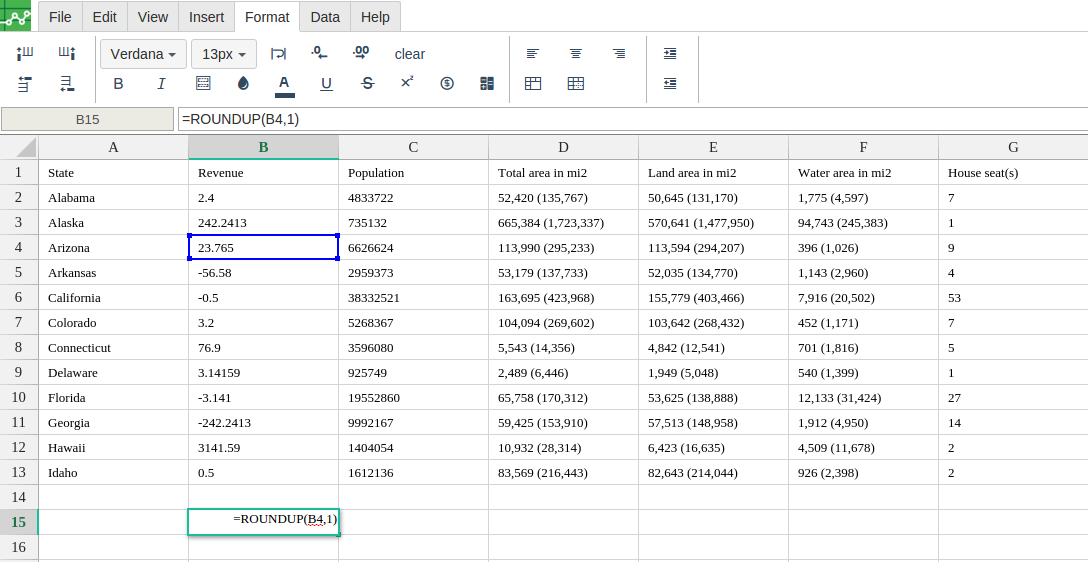
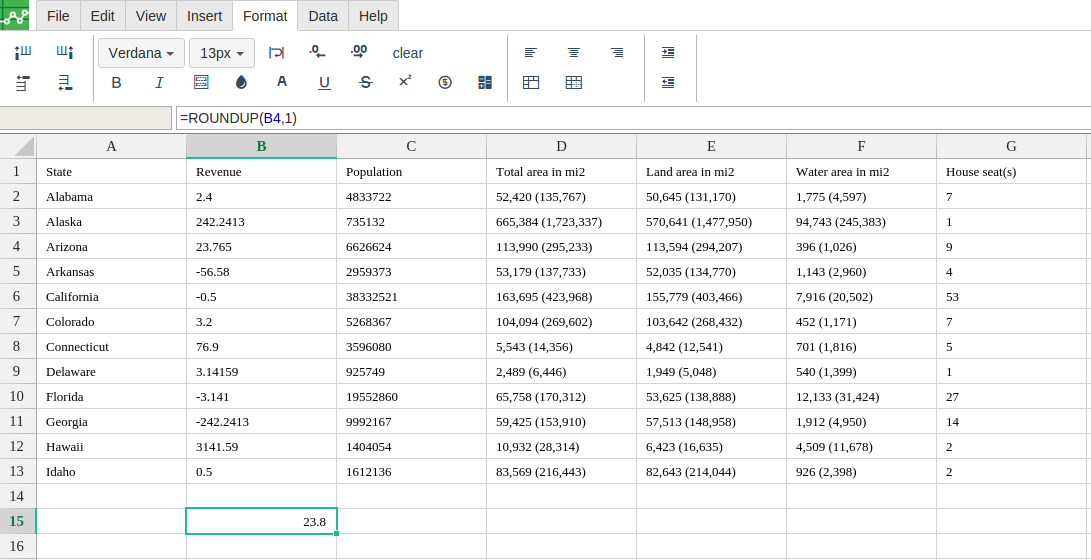
If the argument of places is set to 1, the function leaves only one digit to the right of the decimal point and rounds it up to the next number
-
if the argument of places is negative, all decimal places are removed and the function rounds up that number of digits to the left of the decimal point upward(i.e. to the nearest 10, 100, 1000, etc.).
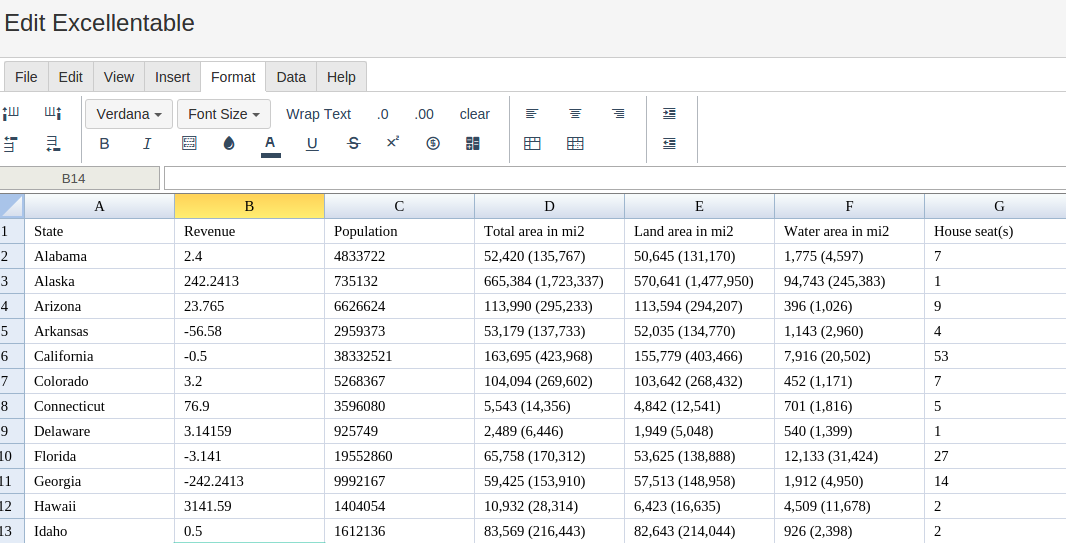
Step 1 : In order to use the ROUNDUP formula, start with your edited Excellentable
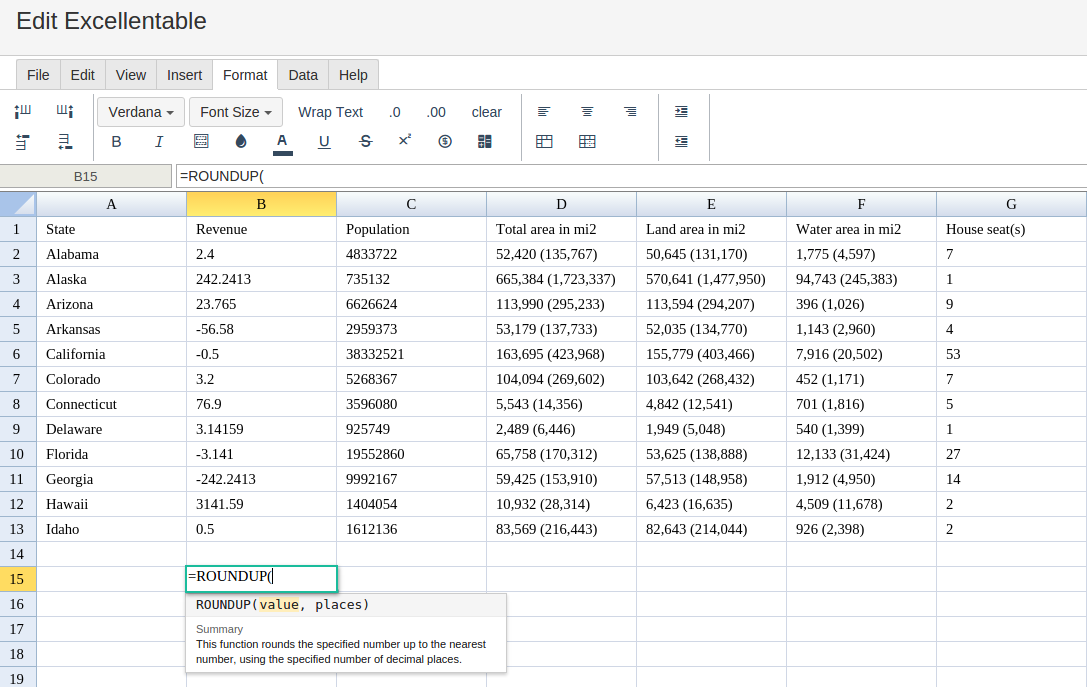
Step 2 : Then type in the ROUNDUP Formula in the area you would like to display the outcome:
Step 3 : Type in the complete ROUNDUP formula for a cell as shown below:
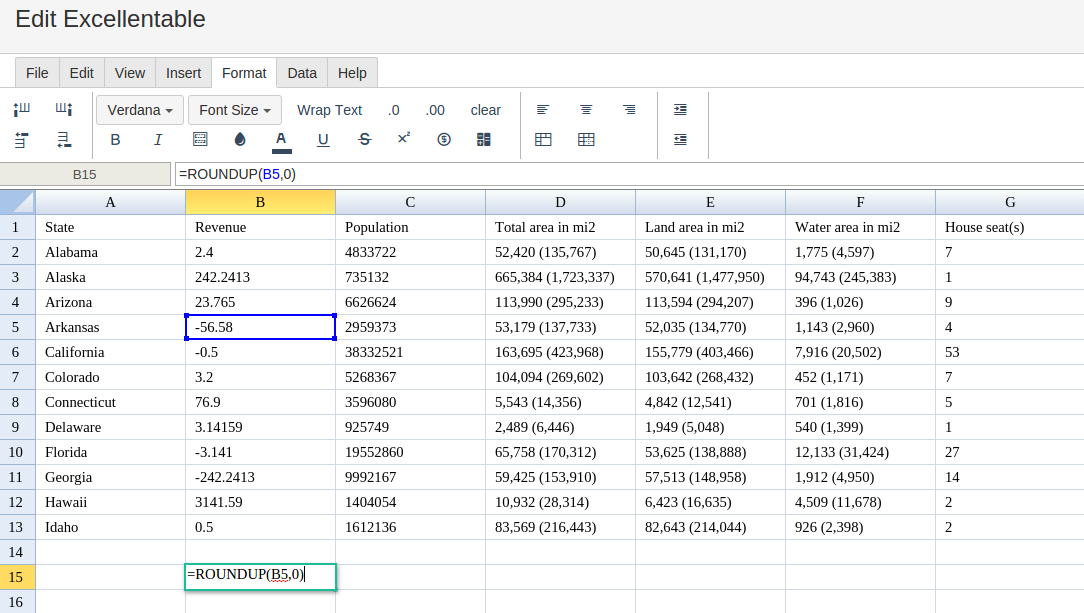
Step 4 : Excellentable will generate the outcome when hitting enter.
There were errors rendering macro:
- An unknown error occurred.
Other Possible outcomes for using ROUNDUP Formula
-
If the argument of places is 1
-
If the argument of places is negative