
Definition
This function adds the cell using a given criteria.
Syntax
-
array- is the array of cells you want to apply the condition.
-
condition - the condition used to determine which cells to add.
-
subrange - optional, it is the array of cells to sum together.If 'subrange' argument is omitted then SUMIF treats 'array' as 'subrange'.
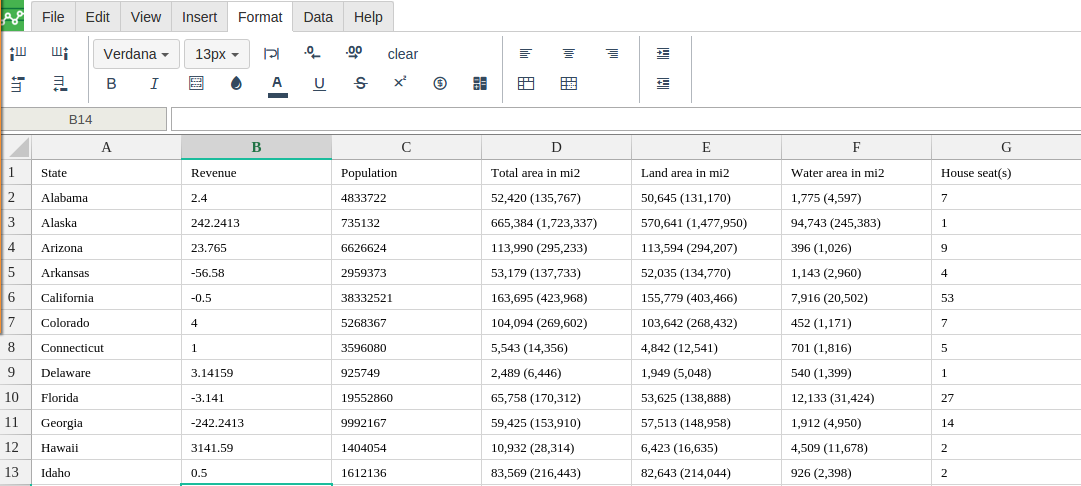
Step 1 : In order to use the SUMIF formula, start with your edited Excellentable
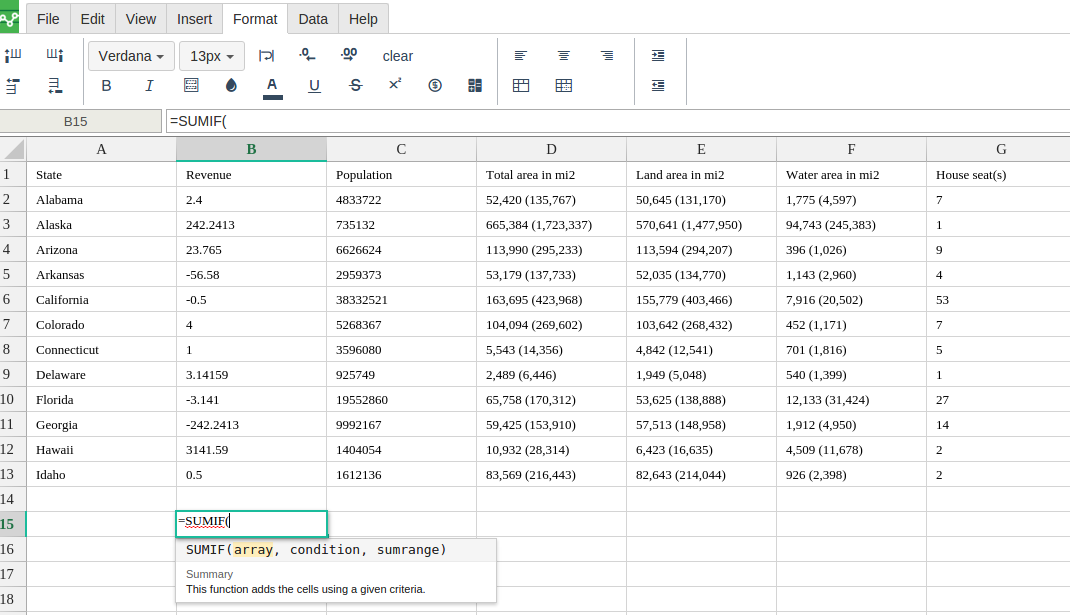
Step 2 : Then type in the SUMIF Formula in the area you would like to display the outcome:
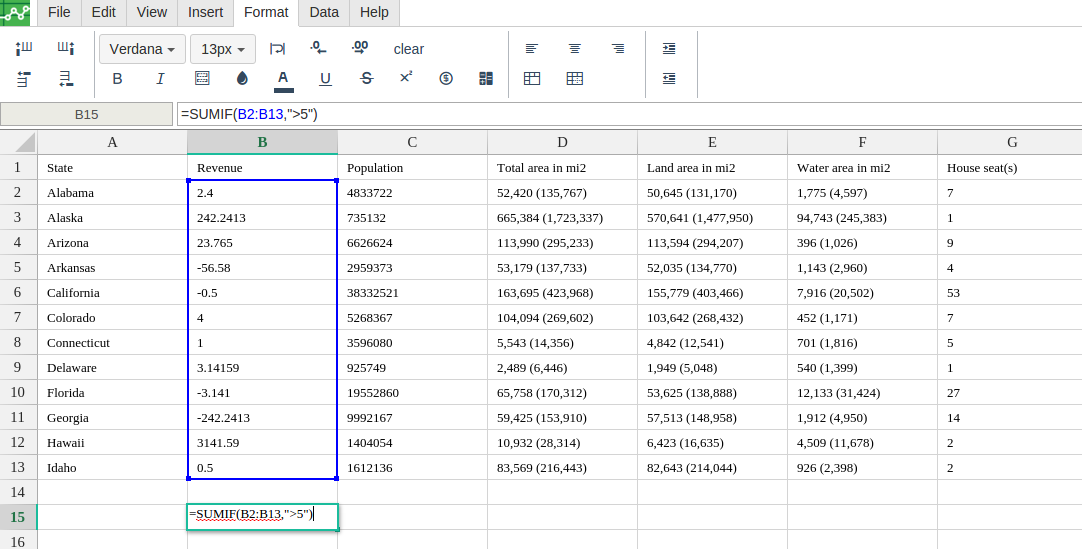
Step 3: Type in the complete SUMIF formula for a cell as shown below:
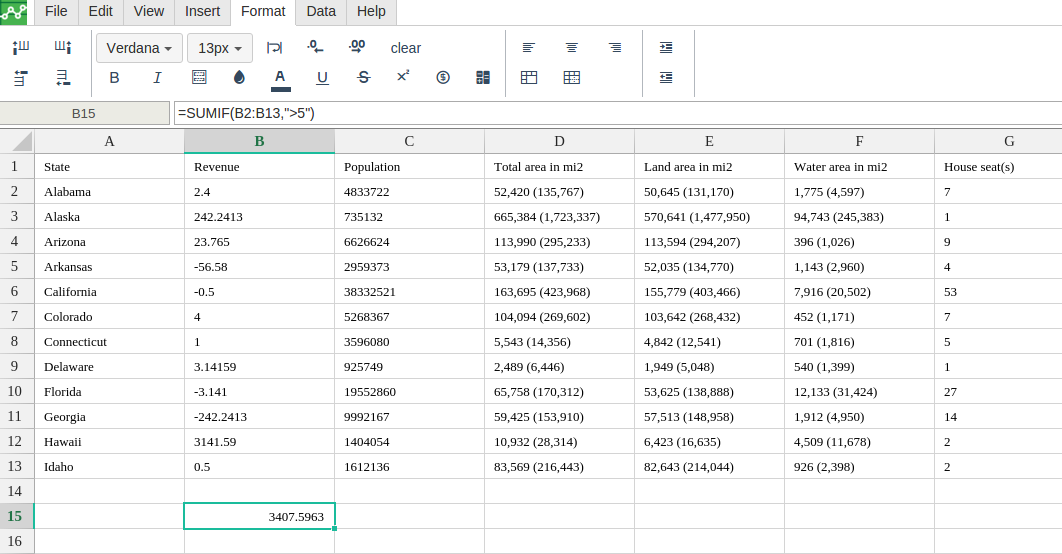
Step 4: Excellentable will generate the outcome when hitting enter.
There were errors rendering macro:
- An unknown error occurred.