
Definition of TRUE
Returns the logical value `TRUE`.
Syntax
TRUE()
Notes
-
In most cases, Excellentable will automatically convert the
TRUEliteral to the logicalTRUEvalue, equivalent to this function.
See Also
NOT: Returns the opposite of a logical value - `NOT(TRUE)` returns `FALSE`; `NOT(FALSE)` returns `TRUE`.
FALSE: Returns the logical value `FALSE`.
In order to use the TRUE formula, start with your edited Excellentable
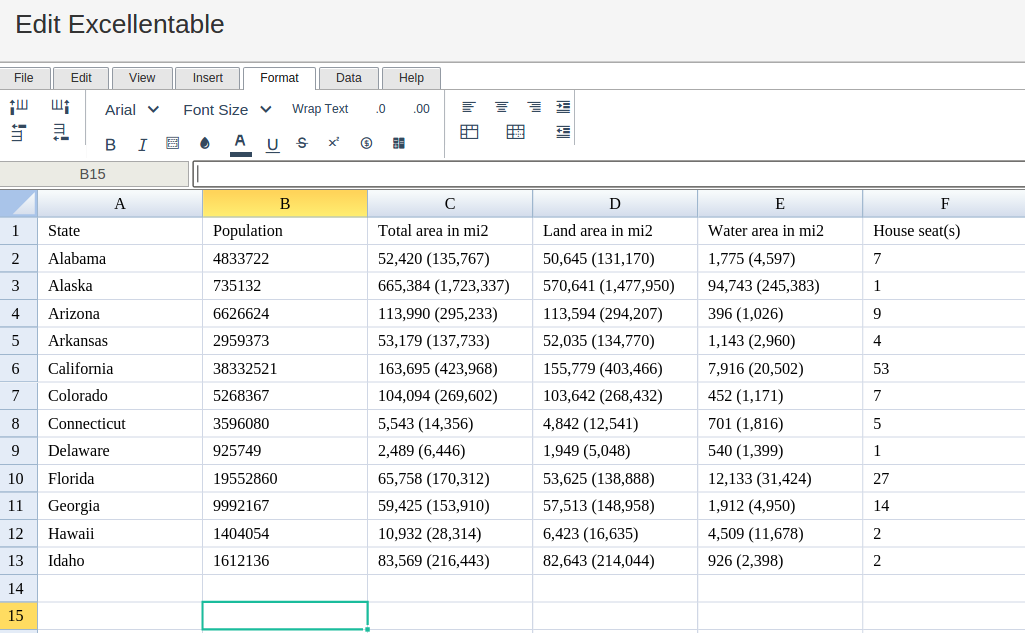
Then type in the TRUE Formula in the area you would like to display the outcome:
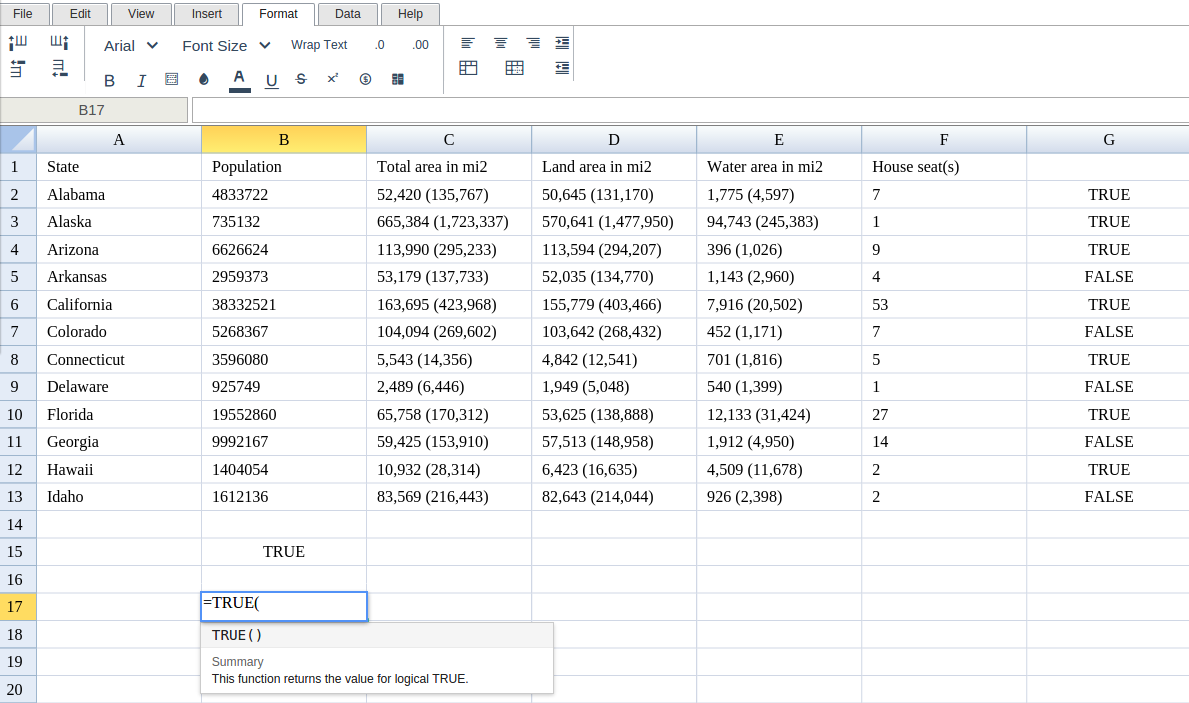
Type in the complete TRUE formula for a cell as shown below:
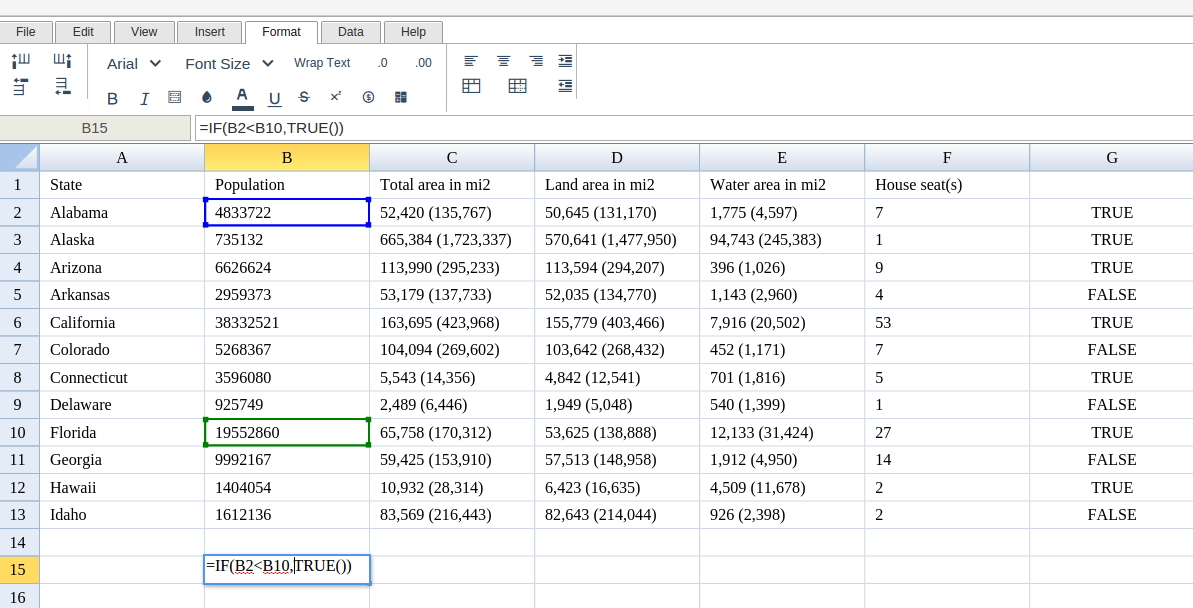
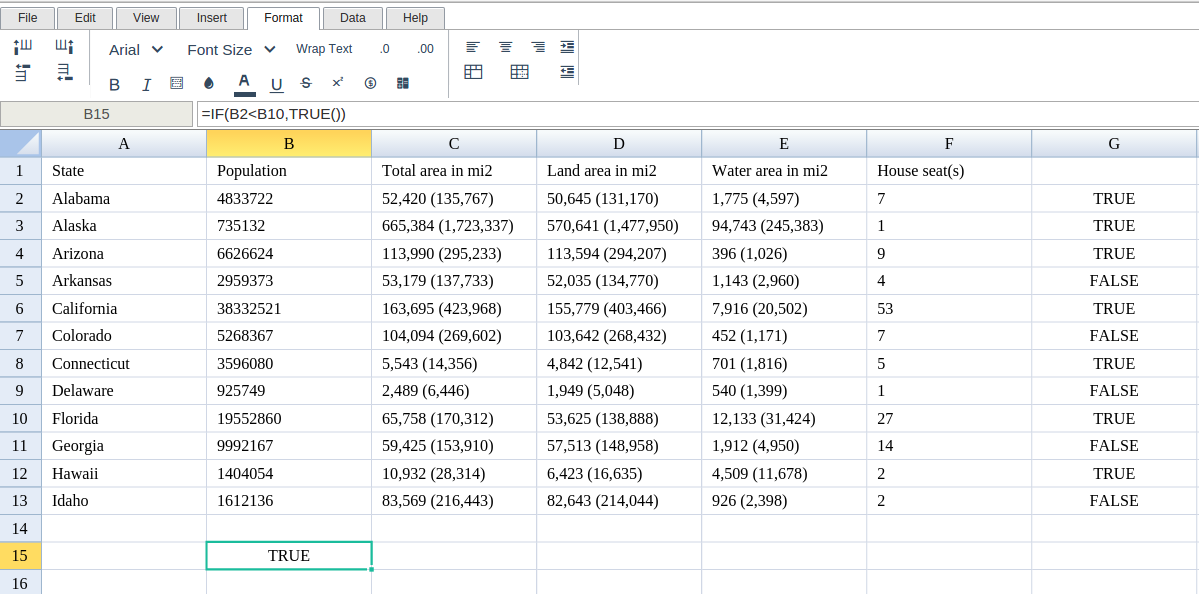
Excellentable will generate the outcome when hitting enter.
There were errors rendering macro:
- An unknown error occurred.