Breadcrumbs

Edit Mode

  1. Once a new Excellentable macro has been inserted, the following table appears on the confluence page.
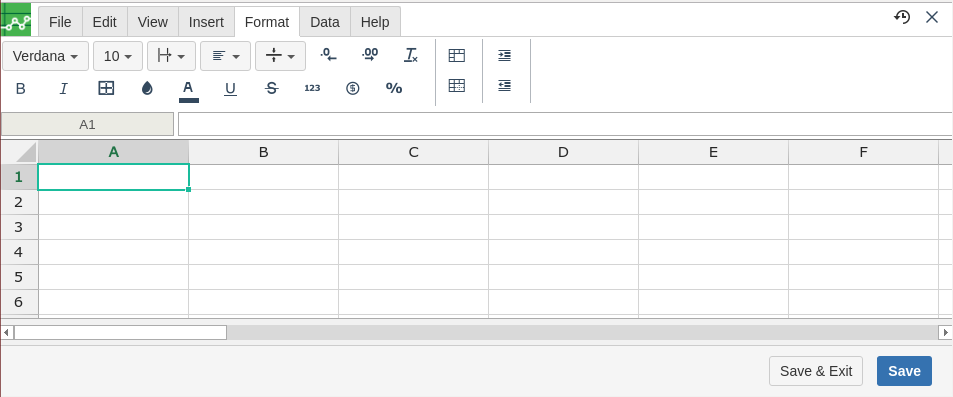
    image2016-11-30 13:48:19.png

  2. The table inside the Excellentable macro is a like a excel sheet and supports following functions. 

    1. Insert Rows

    2. Remove Rows

    3. Insert Columns

    4. Remove Columns

    5. Align Cells

    6. Comment Cells

    7. Cut / Copy and Paste

    8. Group and Ungroup cells

    9. Import File

    10. Export File

    11. Insert Pictures

    12. Merge / Unmerge cells

    13. Text Formatting

    14. Undo & Redo

    15. Sort & Filter


questions

If you have any questions or concerns, please email us at support@addteq.com 


report-bugicon-button.png

get-supporticon-button.png